Virtual Staging ART Developer API
Use the Virtual Staging ART API to upload an image, request staging or decluttering, poll for status, and receive finished render URLs by webhook.
Base URL
Examples on this page use the legacy-compatible /api/... paths:
https://www.virtualstaging.art/api/...
Equivalent /v1/... paths are also available if you prefer them.
Authentication
All developer API requests use a Bearer token:
Authorization: Bearer YOUR_API_TOKEN
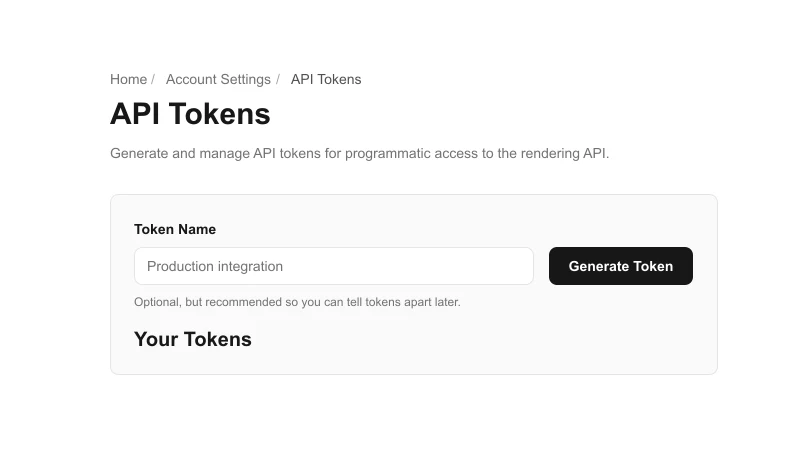
You can generate an API token from your Virtual Staging ART account settings.
No-code option: Zapier
If you'd rather not write code, install the official Virtual Staging ART integration on Zapier to wire renders into 7,000+ apps. The Zapier app uses the same API token and the webhook subscription endpoints described below.
Triggers: Render Finished, Render Failed. Actions: Stage a Photo, Declutter a Photo, Upload Image. Search: Find Render Status.
Typical workflow
Most integrations follow this sequence:
- Upload an image with
/api/image/upload, or provide your own public image URL. - Submit a render request with
/api/image/render/requestor/api/image/render/declutter. - Poll
/api/image/check-statuswith the returnedupload_id, or provide acallback_urland wait for the webhook. - Use the returned render URLs in your app.
1. Upload an image
Endpoint
POST /api/image/upload
Response
{
  "url": "https://..."
}
Use the returned url as the image_url in the render request.
The returned url is a stable public URL for the uploaded image. It is not a short-lived signed download URL, so you can reuse the same image_url in later render requests.
Option A: Multipart upload
Send a standard file upload using multipart/form-data.
Form field:
file
Example:
curl -X POST "https://www.virtualstaging.art/api/image/upload" \
  -H "Authorization: Bearer YOUR_API_TOKEN" \
  -F "[email protected]"
Option B: Base64 JSON upload
Send either raw base64 or a data URL in JSON.
Raw base64 example:
{
  "image_base64": "BASE64_HERE",
  "content_type": "image/jpeg"
}
Data URL example:
{
  "data_url": "data:image/png;base64,iVBORw0KGgoAAA..."
}
Upload limits
- Max upload size:
10 MB - Accepted formats:
- JPEG
- PNG
- WebP
- HEIC / HEIF
2. Use your own image URL instead of uploading
If you already host your images yourself, you can skip /api/image/upload and send your own image_url directly in the render request.
Your image_url should be:
- a direct image URL
- publicly reachable
https://- returning the image file itself with a normal
200response
Examples that usually fail:
- expired temporary URLs
- links that require login or cookies
- share pages that return HTML instead of the raw image
- localhost or private-network URLs
3. Submit a staging render
Endpoint
POST /api/image/render/request
Request body
{
  "image_url": "https://example.com/source.jpg",
  "room_type": "living",
  "style": "modern",
  "mode": "stage",
  "number_of_renders": 1,
  "upload_id": "optional-grouping-id",
  "layout_type": "studio",
  "ai_notes": "Keep the room bright and add a premium contemporary feel.",
  "callback_url": "https://example.com/callback",
  "tier": "premium"
}
Required fields
image_urlfor a new upload group. Ifupload_idreferences an existing render group,image_urlmay be omitted and the stored source image URL is reused.room_typestyle
tier options
classic- default if omitted
- supports up to
20renders per upload group
premium- supports up to
8renders per credit charge on this compatibility endpoint
- supports up to
mode options
stage- default
cleanup_and_stage- removes existing furnishings first, then stages the room
Credit cost
stage:1creditcleanup_and_stage:1upload credit for standard photos. Panoramiccleanup_and_stageremains6upload credits.
For upload-credit organizations, each standard cleanup_and_stage output counts as 2 render slots toward the upload group's render limit because it runs cleanup and staging.
For organizations using photo credits / per-output billing, cleanup_and_stage still applies the normal per-output staging charge plus the cleanup fee.
Supported room_type
livingbedroomkitchenofficediningstudioldk* premium onlybathroom* premium onlyentrance* premium only
Legacy note: bed is also accepted as an alias for bedroom, and home_office is also accepted as an alias for office.
Supported style
modernscandinavianindustrialcoastalluxurymid-century modernfarmhousestandardminimalist* premium onlyjapandi* premium onlybohemian* premium onlytraditional* premium only
Optional fields
number_of_renders- default:
1 - max per request:
10
- default:
upload_id- lets you keep repeated requests grouped under the same upload
- for additional renders of the same image, reuse the
upload_idreturned by the first request - the same
upload_idcan be reused with differentroom_type,style,layout_type, orai_notes; those requests use the same generate-more flow as the Web UI and stay in the same render group - an
upload_idreturned by a declutter request can also be reused for a latermode: "stage"request on the same source image; this stays in the same upload credit group - when reusing an existing
upload_id,image_urlmay be omitted - all renders that share an
upload_idcount toward that upload group's render limit - if
upload_idis omitted, the compatibility endpoint falls back to matching by the exactimage_urlstring
layout_typestudiois supported for compatibility
modestageorcleanup_and_stage
callback_url- webhook destination for completion notifications
ai_notes* premium only- optional free-text guidance for the model
- max length:
500characters
tierclassicorpremium- existing API users default to
classicif omitted
Reuse a declutter upload for staging
After a declutter request returns an upload_id, you can submit a staging request for the same uploaded photo without sending image_url again:
{
  "upload_id": "declutter-upload-id",
  "room_type": "living",
  "style": "modern",
  "mode": "stage",
  "number_of_renders": 1
}
Response
{
  "upload_id": "uuid-or-existing-group-id",
  "status": "rendering",
  "tier": "classic"
}
4. Submit a declutter render
Endpoint
POST /api/image/render/declutter
tier options
classic- default if omitted
- supports up to
20renders per upload group
premium- supports up to
8renders per credit charge on this compatibility endpoint
- supports up to
Request body
{
  "image_url": "https://example.com/source.jpg",
  "room_type": "living",
  "number_of_renders": 1,
  "upload_id": "optional-grouping-id",
  "ai_notes": "Remove clutter while preserving the natural lighting.",
  "callback_url": "https://example.com/callback",
  "tier": "premium"
}
Request fields
image_url- required for a new upload group
- when reusing an existing
upload_id,image_urlmay be omitted and the stored source image URL is reused
room_type- optional, but recommended when you know the room type
- helps the cleanup pipeline choose room-aware removal targets and preserve fixed structures
- use one of the same supported
room_typevalues listed above
number_of_renders- default:
1
- default:
upload_id- lets you keep repeated requests grouped under the same upload
- for additional renders of the same image, reuse the
upload_idreturned by the first request
callback_url- webhook destination for completion notifications
ai_notes* premium only- optional photo-specific guidance for the model, such as unusual objects or a specific result you want to correct
- generic structure-preservation guidance is already handled by Virtual Staging ART
- max length:
500characters
tierclassicorpremium- existing API users default to
classicif omitted
Declutter credit cost
- declutter:
1credit
The returned upload_id can be reused in /api/image/render/request with mode: "stage" to stage the same uploaded photo without spending another upload credit.
Response
{
  "upload_id": "uuid-or-existing-group-id",
  "status": "rendering",
  "tier": "classic"
}
5. Check render status
Endpoint
POST /api/image/check-status
Recommended request
{
  "upload_id": "uuid-or-existing-group-id"
}
Compatibility request
{
  "image_url": "https://example.com/source.jpg"
}
Response
{
  "status": "rendering"
}
Possible values:
renderingdoneerror
upload_id is the preferred lookup method.
6. Check how many renders have been used for an upload
Endpoint
POST /api/image/check-rendering-amount
Request body
{
  "uploadId": "uuid-or-existing-group-id"
}
You can also use:
{
  "sourceImage": "https://example.com/source.jpg"
}
Compatibility aliases are also accepted:
{
  "upload_id": "uuid-or-existing-group-id",
  "image_url": "https://example.com/source.jpg"
}
Response
{
  "renderCount": 3,
  "limitExceeded": false,
  "maxRenders": 20
}
7. Webhook callbacks
If you provide callback_url in a render request, Virtual Staging ART will POST the result when the job completes.
Success payload
{
  "status": "done",
  "render_urls": [
    "https://assets.example.com/render-1.jpg",
    "https://assets.example.com/render-2.jpg"
  ]
}
Error payload
{
  "status": "error",
  "error_code": "STRUCTURE_QA_FAILED",
  "error": "Rendering failed because the generated image changed fixed room structures after retries."
}
Error messages are public, stable summaries and do not include internal provider or model names. error_code may be STRUCTURE_QA_FAILED, MODEL_OVERLOADED, or RENDER_FAILED.
8. Webhook subscriptions
Unlike a per-request callback_url, a subscription receives every matching event for your account until you delete it. This is the model used by the official Zapier integration, and what most production integrations should use.
Per-request callbacks and per-user subscriptions are independent — both fire on the same completion.
Create a subscription
POST /v1/webhooks
Request body:
{
  "target_url": "https://example.com/my-hook",
  "event_type": "render.succeeded"
}
Supported event_type values:
render.succeededrender.failed
Response:
{
  "id": "subscription-uuid",
  "target_url": "https://example.com/my-hook",
  "event_type": "render.succeeded",
  "created_at": "2026-05-15T12:00:00+00:00"
}
The endpoint is idempotent on (target_url, event_type) — re-posting the same pair returns the existing subscription instead of creating a duplicate.
List your subscriptions
GET /v1/webhooks
Returns an array of your active subscriptions.
Delete a subscription
DELETE /v1/webhooks/{subscription_id}
Returns 204 No Content.
Subscription payload
Subscription deliveries use a richer payload than per-request callbacks:
{
  "event": "render.succeeded",
  "render_run_id": "uuid",
  "upload_id": "uuid",
  "tier": "premium",
  "flow": "staging",
  "render_urls": ["https://..."],
  "completed_at": "2026-05-15T12:00:30+00:00"
}
For render.failed:
{
  "event": "render.failed",
  "render_run_id": "uuid",
  "upload_id": "uuid",
  "tier": "classic",
  "flow": "staging",
  "error_code": "STRUCTURE_QA_FAILED",
  "error": "Rendering failed because the generated image changed fixed room structures after retries.",
  "completed_at": "2026-05-15T12:00:30+00:00"
}
9. List recent renders
GET /v1/renders
Query parameters:
limit— max rows (1–100, default25)status— optional filter:done,error, orrendering
Response:
[
  {
    "id": "uuid",
    "upload_id": "uuid",
    "status": "done",
    "tier": "premium",
    "flow": "staging",
    "room_type": "living_room",
    "style": "modern",
    "source_image_url": "https://...",
    "render_urls": ["https://..."],
    "error": null,
    "created_at": "2026-05-15T12:00:00+00:00",
    "completed_at": "2026-05-15T12:00:30+00:00"
  }
]
Lists renders submitted through the developer API for your account, newest first.
10. Identity check
GET /v1/me
Returns minimal identity info for the authenticated token. Useful for testing your connection before submitting a render.
{
  "user_id": "uuid",
  "email": "[email protected]",
  "name": "Developer Name"
}
Compatibility notes for existing Virtual Staging integrations
What still works
- legacy
/api/...image endpoints remain available - existing API users still default to
classictier if notieris provided upload_idgrouping is preserved for repeated compatibility requestslayout_type="studio"is supported- callback payloads still use the familiar
status+render_urlsshape
What changed
The old Vercel Blob upload handshake is no longer supported.
/api/image/upload now accepts:
multipart/form-data- JSON with
image_base64 - JSON with
data_url
If an old client still tries the legacy Vercel upload method, the endpoint returns a clear error telling you to switch to multipart or base64 upload.
Common errors
400invalid request body, invalid image format, invalid image URL, unsupported content type, or render cap exceeded401missing or invalid API token402insufficient credits403account blocked or restricted413upload too large503temporary service or queueing failure