Virtual Staging ART Developer API
Virtual Staging ART API を使うと、画像のアップロード、ステージングや片付けのリクエスト、ステータス確認、Webhook による完了通知を行えます。
Base URL
このページの例では、互換性維持のための /api/... パスを使っています。
https://www.virtualstaging.art/api/...
必要に応じて、同等の /v1/... パスも利用できます。
認証
すべての Developer API リクエストでは Bearer トークンを使用します。
Authorization: Bearer YOUR_API_TOKEN
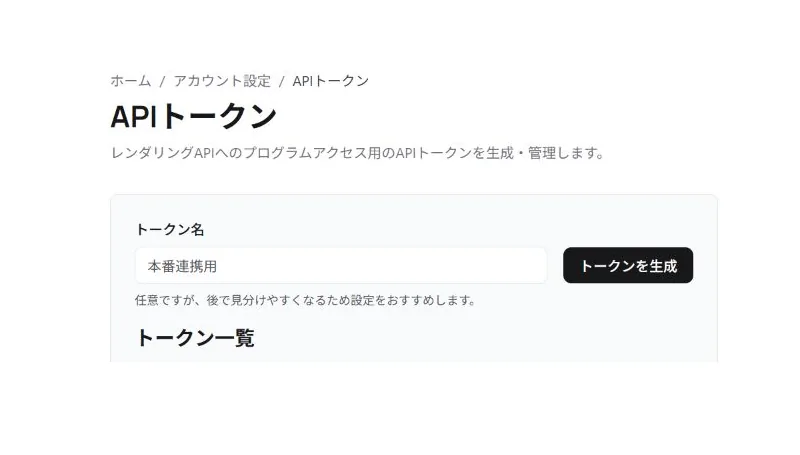
API トークンは Virtual Staging ART のアカウント設定から発行できます。
ノーコード連携: Zapier
コードを書きたくない場合は、Zapier の公式 Virtual Staging ART インテグレーションを使って、7,000 以上のアプリにレンダーを連携できます。Zapier アプリは同じ API トークンと、下記の Webhook サブスクリプションエンドポイントを使用しています。
トリガー: Render Finished、Render Failed。アクション: Stage a Photo、Declutter a Photo、Upload Image。検索: Find Render Status。
基本的な流れ
多くの連携では、次の手順になります。
/api/image/uploadで画像をアップロードするか、公開されたimage_urlをそのまま使います。/api/image/render/requestまたは/api/image/render/declutterにリクエストします。- 返ってきた
upload_idで/api/image/check-statusをポーリングするか、callback_urlを指定して Webhook を待ちます。 - 完成した
render_urlsを自分のアプリで利用します。
1. 画像をアップロードする
Endpoint
POST /api/image/upload
Response
{
  "url": "https://..."
}
返ってきた url を、後続のレンダーリクエストの image_url として使います。
返却される url は、アップロード済み画像の有効期限のない公開URLです。短時間で失効する署名付きダウンロードURLではないため、後続のレンダーリクエストでも同じ image_url を継続利用できます。
Option A: Multipart upload
multipart/form-data で通常のファイルアップロードを行います。
フォームフィールド:
file
例:
curl -X POST "https://www.virtualstaging.art/api/image/upload" \
  -H "Authorization: Bearer YOUR_API_TOKEN" \
  -F "[email protected]"
Option B: Base64 JSON upload
JSON で raw base64 または data URL を送れます。
raw base64 の例:
{
  "image_base64": "BASE64_HERE",
  "content_type": "image/jpeg"
}
data URL の例:
{
  "data_url": "data:image/png;base64,iVBORw0KGgoAAA..."
}
Upload limits
- 最大アップロードサイズ:
10 MB - 対応形式:
- JPEG
- PNG
- WebP
- HEIC / HEIF
2. アップロードせずに自分の image_url を使う
すでに自社で画像をホストしている場合は、/api/image/upload を使わず、そのまま image_url をレンダーリクエストに渡せます。
image_url は次の条件を満たす必要があります。
- 画像ファイルそのものを指す URL であること
- 公開アクセス可能であること
https://であること- 通常の
200レスポンスで画像ファイルを返すこと
失敗しやすい例:
- 有効期限付きの一時 URL
- ログインや Cookie が必要な URL
- 画像ではなく HTML を返す共有ページ
- localhost やプライベートネットワークの URL
3. ステージングをリクエストする
Endpoint
POST /api/image/render/request
Request body
{
  "image_url": "https://example.com/source.jpg",
  "room_type": "living",
  "style": "modern",
  "mode": "stage",
  "number_of_renders": 1,
  "upload_id": "optional-grouping-id",
  "layout_type": "studio",
  "ai_notes": "Keep the room bright and add a premium contemporary feel.",
  "callback_url": "https://example.com/callback",
  "tier": "premium"
}
Required fields
image_url- 新しい upload group を作成する場合は必須です
- 既存の render group を指す
upload_idを指定する場合は省略でき、保存済みの元画像 URL が再利用されます
room_typestyle
tier options
classic- 未指定時のデフォルト
- 1つの upload group あたり最大
20レンダー
premium- この互換エンドポイントでは 1 クレジットあたり最大
8レンダー
- この互換エンドポイントでは 1 クレジットあたり最大
mode options
stage- デフォルト
cleanup_and_stage- 先に既存家具や不要物を片付けてから、同じ画像をステージングします
Credit cost
stage:1creditcleanup_and_stage: 通常写真では1upload credit。パノラマのcleanup_and_stageは引き続き6upload credits です。
upload credits の組織では、通常写真の cleanup_and_stage は cleanup と staging の 2 ステップで処理されるため、1 出力につき upload group のレンダー上限に 2 レンダー分としてカウントされます。
photo credits / per-output billing の組織では、cleanup_and_stage は通常のステージング出力ごとの課金に加えて cleanup fee が適用されます。
Supported room_type
livingbedroomkitchenofficediningstudioldk* premium onlybathroom* premium onlyentrance* premium only
Legacy note: bed も bedroom のエイリアスとして受け付けます。home_office も office のエイリアスとして受け付けます。
Supported style
modernscandinavianindustrialcoastalluxurymid-century modernfarmhousestandardminimalist* premium onlyjapandi* premium onlybohemian* premium onlytraditional* premium only
Optional fields
number_of_renders- デフォルト:
1 - 1リクエストあたり最大:
10
- デフォルト:
upload_id- 同じ画像に対する複数リクエストを同じ upload group にまとめます
- 同じ画像に追加でレンダリングしたい場合は、初回レスポンスで返された
upload_idを再利用してください - 同じ
upload_idでroom_type、style、layout_type、ai_notesを変えることもできます。その場合も Web UI と同じ generate-more フローを使い、同じ render group 内にまとまります - 片付けリクエストで返された
upload_idは、同じ元画像に対する後続のmode: "stage"リクエストにも再利用できます。この場合も同じ upload credit group 内で処理されます - 既存の
upload_idを再利用する場合、image_urlは省略できます - 同じ
upload_idを共有するレンダーは、同じ upload group のレンダー上限にカウントされます upload_idを省略した場合、この互換エンドポイントではimage_urlの文字列完全一致で同一画像かどうかを判定します
layout_type- 互換性のため
studioをサポートします
- 互換性のため
callback_url- 完了通知を送る Webhook URL
ai_notes* premium only- モデル向けの追加テキスト指示
- 最大長:
500文字
tierclassicまたはpremium- 既存 API ユーザーは未指定時に
classicになります
片付け済み upload をステージングに再利用する例
片付けリクエストで返された upload_id を使うと、同じアップロード済み写真に対して image_url を再送せずにステージングできます。
{
  "upload_id": "declutter-upload-id",
  "room_type": "living",
  "style": "modern",
  "mode": "stage",
  "number_of_renders": 1
}
Response
{
  "upload_id": "uuid-or-existing-group-id",
  "status": "rendering",
  "tier": "classic"
}
4. 片付けをリクエストする
Endpoint
POST /api/image/render/declutter
tier options
classic- 未指定時のデフォルト
- 1つの upload group あたり最大
20レンダー
premium- この互換エンドポイントでは 1 クレジットあたり最大
8レンダー
- この互換エンドポイントでは 1 クレジットあたり最大
Request body
{
  "image_url": "https://example.com/source.jpg",
  "room_type": "living",
  "number_of_renders": 1,
  "upload_id": "optional-grouping-id",
  "ai_notes": "Remove clutter while preserving the natural lighting.",
  "callback_url": "https://example.com/callback",
  "tier": "premium"
}
Request fields
image_url- 新しい upload group を作成する場合は必須です
- 既存の
upload_idを再利用する場合は省略でき、保存済みの元画像 URL が再利用されます
room_type- 任意ですが、部屋タイプが分かる場合は指定を推奨します
- 部屋タイプに応じた除去対象の判断や、固定構造の保持が安定しやすくなります
- 指定できる値は、上記の Supported
room_typeと同じです
number_of_renders- デフォルト:
1
- デフォルト:
upload_id- 同じ画像に対する複数リクエストを同じ upload group にまとめます
- 同じ画像に追加でレンダリングしたい場合は、初回レスポンスで返された
upload_idを再利用してください
callback_url- 完了通知を送る Webhook URL
ai_notes* premium only- 通常とは異なる物体が写っている場合や、特定の結果を改善したい場合など、写真ごとの補足指示として利用できます
- 汎用的な構造保持の指示は Virtual Staging ART 側であらかじめ処理しています
- 最大長:
500文字
tierclassicまたはpremium- 既存 API ユーザーは未指定時に
classicになります
Declutter credit cost
- declutter:
1credit
返却された upload_id は /api/image/render/request に mode: "stage" と一緒に渡すことで、同じアップロード済み写真を追加の upload credit なしでステージングできます。
Response
{
  "upload_id": "uuid-or-existing-group-id",
  "status": "rendering",
  "tier": "classic"
}
5. レンダーステータスを確認する
Endpoint
POST /api/image/check-status
推奨リクエスト
{
  "upload_id": "uuid-or-existing-group-id"
}
互換リクエスト
{
  "image_url": "https://example.com/source.jpg"
}
Response
{
  "status": "rendering"
}
取りうる値:
renderingdoneerror
推奨される照会方法は upload_id です。
6. upload に対して何件レンダーしたか確認する
Endpoint
POST /api/image/check-rendering-amount
Request body
{
  "uploadId": "uuid-or-existing-group-id"
}
次の形式も使えます。
{
  "sourceImage": "https://example.com/source.jpg"
}
互換エイリアスも受け付けます。
{
  "upload_id": "uuid-or-existing-group-id",
  "image_url": "https://example.com/source.jpg"
}
Response
{
  "renderCount": 3,
  "limitExceeded": false,
  "maxRenders": 20
}
7. Webhook callbacks
レンダーリクエストに callback_url を指定すると、完了時に Virtual Staging ART から POST されます。
Success payload
{
  "status": "done",
  "render_urls": [
    "https://assets.example.com/render-1.jpg",
    "https://assets.example.com/render-2.jpg"
  ]
}
Error payload
{
  "status": "error",
  "error_code": "STRUCTURE_QA_FAILED",
  "error": "Rendering failed because the generated image changed fixed room structures after retries."
}
エラーメッセージは公開用の安定した説明文で、内部の provider 名や model 名は含まれません。error_code には STRUCTURE_QA_FAILED、MODEL_OVERLOADED、RENDER_FAILED が入ります。
8. Webhook サブスクリプション
リクエストごとの callback_url とは異なり、サブスクリプションは削除するまで、該当アカウントの全ての一致イベントを受け取り続けます。公式 Zapier 連携が使うモデルで、ほとんどの本番連携で推奨される方式です。
リクエストごとの callback とユーザー単位のサブスクリプションは独立しており、同じレンダー完了で両方が発火します。
サブスクリプションを作成
POST /v1/webhooks
リクエストボディ:
{
  "target_url": "https://example.com/my-hook",
  "event_type": "render.succeeded"
}
対応する event_type:
render.succeededrender.failed
レスポンス:
{
  "id": "subscription-uuid",
  "target_url": "https://example.com/my-hook",
  "event_type": "render.succeeded",
  "created_at": "2026-05-15T12:00:00+00:00"
}
このエンドポイントは (target_url, event_type) に対して冪等で、同じ組み合わせを再度 POST すると重複作成ではなく既存のサブスクリプションを返します。
サブスクリプション一覧を取得
GET /v1/webhooks
有効なサブスクリプションの配列を返します。
サブスクリプションを削除
DELETE /v1/webhooks/{subscription_id}
204 No Content を返します。
サブスクリプションのペイロード
サブスクリプション配信のペイロードは、リクエストごとの callback よりも情報量が多くなっています。
{
  "event": "render.succeeded",
  "render_run_id": "uuid",
  "upload_id": "uuid",
  "tier": "premium",
  "flow": "staging",
  "render_urls": ["https://..."],
  "completed_at": "2026-05-15T12:00:30+00:00"
}
render.failed の場合:
{
  "event": "render.failed",
  "render_run_id": "uuid",
  "upload_id": "uuid",
  "tier": "classic",
  "flow": "staging",
  "error_code": "STRUCTURE_QA_FAILED",
  "error": "Rendering failed because the generated image changed fixed room structures after retries.",
  "completed_at": "2026-05-15T12:00:30+00:00"
}
9. 最近のレンダー一覧
GET /v1/renders
クエリパラメーター:
limit— 取得件数の最大値(1〜100、デフォルト25)status— 任意のフィルタ:done、error、rendering
レスポンス:
[
  {
    "id": "uuid",
    "upload_id": "uuid",
    "status": "done",
    "tier": "premium",
    "flow": "staging",
    "room_type": "living_room",
    "style": "modern",
    "source_image_url": "https://...",
    "render_urls": ["https://..."],
    "error": null,
    "created_at": "2026-05-15T12:00:00+00:00",
    "completed_at": "2026-05-15T12:00:30+00:00"
  }
]
Developer API 経由で送信したレンダーを新しい順に返します。
10. 認証チェック
GET /v1/me
認証済みトークンの最小限のアイデンティティ情報を返します。レンダー送信前の接続確認に便利です。
{
  "user_id": "uuid",
  "email": "[email protected]",
  "name": "Developer Name"
}
既存 Virtual Staging 連携向けの互換性メモ
継続して使えるもの
- 従来の
/api/...画像系エンドポイントは引き続き利用可能 - 既存 API ユーザーは
tier未指定時にclassic - 繰り返しリクエスト時の
upload_idグルーピングを維持 layout_type="studio"をサポート- callback payload は従来どおり
status+render_urls
変更されたもの
旧 Vercel Blob upload handshake はサポートされなくなりました。
/api/image/upload は現在、次を受け付けます。
multipart/form-dataimage_base64を含む JSONdata_urlを含む JSON
旧方式の Vercel アップロードを送ると、multipart または base64 upload へ切り替えるよう案内する明確なエラーを返します。
Common errors
400リクエストボディ不正、画像形式不正、画像 URL 不正、未対応の content type、または render cap 超過401API トークン不正または未指定402クレジット不足403アカウント制限中413アップロードサイズ超過503一時的なサービス障害またはキュー処理失敗