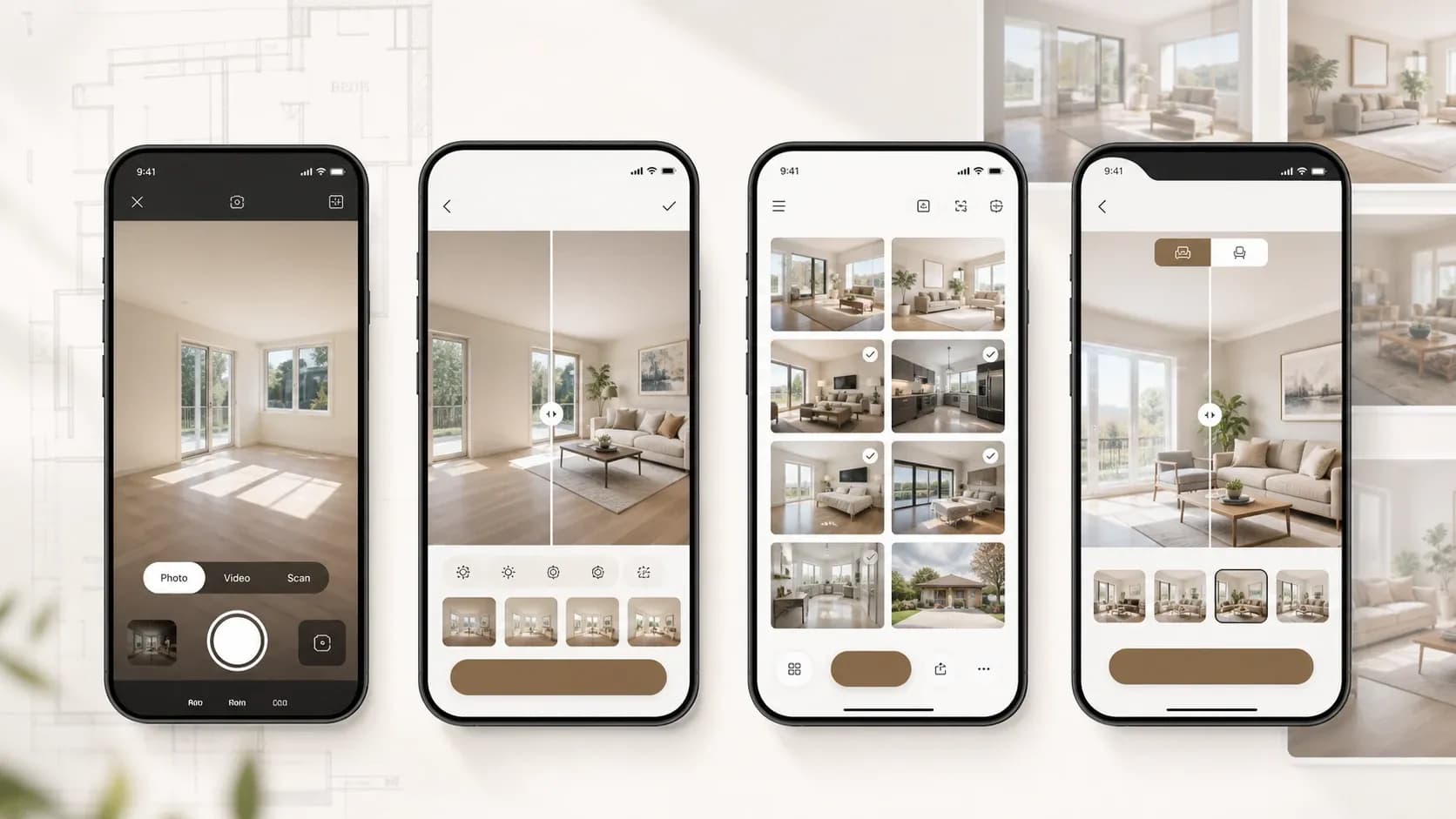
Virtual staging apps let agents furnish an empty room, remove clutter, or improve a listing photo without booking a physical staging crew. Tasks that once required dedicated desktop or web-based software can now be handled from the palm of your hand.
But the term "virtual staging app" now covers a wide range of tools solving different problems. Some are purpose-built for real estate, taking a property photo through to a listing-ready image. Others are broader interior design platforms, room visualizers, or AI image generators that can produce a staged look when prompted correctly.
To help you compare the best virtual staging apps, we look at what each one is genuinely designed to do, how its pricing works, and whether the final images are suitable for real estate listings or better used for design inspiration, furniture planning, and early-stage concepts.
What Counts As A Virtual Staging App?
Not every tool that can produce a "staged" looking room is solving the same problem. Before comparing specific apps, it helps to know which category each one actually belongs to.
Virtual staging apps can span:
- Purpose-built real estate tools designed to turn property photos into listing-ready images through staging, decluttering, and other photo edits.
- General interior design platforms and room visualizers that combine virtual staging with floor planning, 3D design, furniture libraries, and rendering tools.
- General-purpose AI generators that can restyle an uploaded room photo through prompts, despite not being designed specifically for real estate.
None of these are better or worse on their own, they're just solving different problems.
An agent finishing a listing needs something different than a homeowner exploring a renovation or a shopper deciding if a sofa will fit. As we go through each app below, we'll flag which category it falls into and what that means for how you should actually use it.
Best Virtual Staging Apps
PropLens
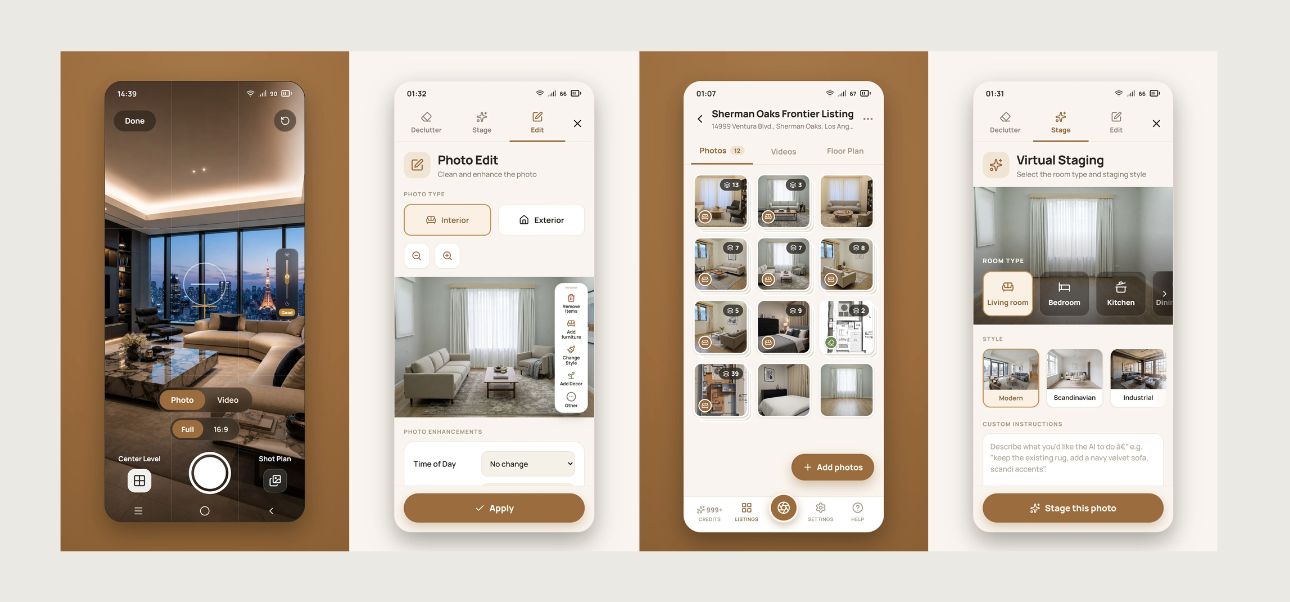
PropLens is Virtual Staging Art's own mobile app, and it's built around a different premise than most of the tools on this list. Instead of starting from a photo you've already taken, it helps agents capture better images on-site and then turn those photos into listing-ready assets with AI editing tools.
Open the app on-site and it generates a shot list based on the property, then guides you through capture with on-screen prompts for lighting, perspective, and composition. From there, the same app handles decluttering, furniture removal, virtual staging in multiple interior styles, house rendering and general photo edits like HDR and sky replacement.
Once the images are ready, you can export the set with a logo watermark and an optional AI-use disclosure label.
PropLens is free to download and use for shooting photos and video, while AI editing and staging run on credits (one credit per photo render), with 10 free trial credits to start and paid plans from $22/month on an annual plan. The app works on iPhone, Android, and tablet, and projects sync automatically to the Virtual Staging Art web account, though nothing about the workflow requires a desktop to finish the job.
Is it listing-ready? Yes. PropLens is the one app in this roundup built around the full listing-production workflow, from capture and staging to branded exports and optional AI-use disclosure labels.
Download PropLens to capture, stage, and prepare your next listing from one app.
HOQI
HOQI is a more conventional AI virtual staging app. You upload an existing room photo, choose how you want the space to look, and generate a redesigned version without the guided capture workflow offered by PropLens.
The app is available on iOS, Android, and web, which makes it a flexible option for users who want to move between phone, tablet, and desktop. Its focus is straightforward photo transformation and is better suited to someone who already has their images and simply wants to stage or redesign them.
HOQI offers a seven-day free trial, with paid plans starting from EUR19.99 per month. The entry-level Access plan does not include video generation, so agents who want to create walkthrough-style content will need to look at one of the higher tiers.
Is it listing-ready? Yes, with limitations. HOQI is designed to create polished staged images, but it does not appear to offer the same MLS-focused workflow controls as PropLens, such as guided property capture, branded exports, or AI-use disclosure labels. It is best viewed as a cross-platform staging tool rather than an end-to-end listing app.
Homestyler
Homestyler is a 3D interior design platform that includes virtual staging as one feature inside a much larger toolset, rather than a real estate tool built for staging alone. The mobile app lets you scan or upload a floor plan, decorate rooms, and use an AI Stager tool to restyle an uploaded photo in a given design style.
Homestyler itself describes the app as a lighter version built for quick design work and inspiration on the go, while the web platform is positioned as the tool for detailed editing and client-ready output.
Pricing is more complicated than the other apps on our list. The free Basic plan includes unlimited 1K renders and a handful of free AI credits, but AI-generated staging images consume 10 credits each, so free users get only a few AI stages before needing to buy more or upgrade. Paid individual plans start from $6.8/month (Pro+) and $11.8/month (Master+), adding higher-resolution renders, more AI credits, and watermark removal, with a Team plan from $19.9/seat/month for shared workspaces. There's also a pay-as-you-go option for one-off renders starting around $0.99 per image.
Is it listing-ready? Not by default. Homestyler is built for design exploration and general home visualization first, so there's no AI-use disclosure labeling or MLS-specific export built in.
ReimagineHome AI
ReimagineHome AI is a photo-to-design app that skips menus and style pickers in favor of plain-language prompts. Upload a photo of a room and describe what you want, "stage this empty living room," "make this kitchen Scandinavian," and the app generates a redesigned version. Virtual staging for real estate listings is one of its stated use cases, alongside renovation previews, exterior and landscape redesigns, and floor plan visualization, so it's built as a general home design tool that happens to cover staging rather than a real estate-first product.
The app runs on a credit system, 30 credits from $19/month. ReimagineHome AI is available on Android through Google Play. There are similarly named apps on iOS, but they do not appear to be the same product, so this review is limited to the Android version.
Is it listing-ready? Yes, with limitations. ReimagineHome AI is marketed toward real estate use cases, including virtual staging and listing photos, and its parent company Styldod also builds enterprise-level MLS compliance tools for brokerages. But those compliance features (AI-use disclosure, batch governance) live in that separate enterprise product, not in the consumer app itself. An agent using the Android app would still need to handle disclosure labeling and branding manually before publishing to a listing.
Generative AI Tools (ChatGPT, Gemini)
Generative AI tools can do many things. They are not designed for virtual staging, but that has not stopped people from trying.
Upload a room photo to ChatGPT or Gemini, describe the look you want, such as "stage this as a modern living room" or "add furniture to this empty bedroom," and the model will generate a restyled version of the image. It is fast, familiar if you already use either tool for other work, and does not require learning a new interface.
Because these tools are not purpose-built for staging, the results can alter room geometry, window placement, or architectural details. Dedicated staging apps are generally designed to preserve the structure of the original room while changing its furnishings and presentation.
General-purpose AI tools also lack consistency controls across multiple rooms or listings, along with features such as watermarking, branding, AI-use disclosure labels, and MLS-specific exports.
Pricing is straightforward. Both tools offer free tiers, while paid ChatGPT Plus and Gemini plans cost around $20 per month for higher usage limits and access to more capable models.
Is it listing-ready? No. These tools can produce a convincing staged image, but they do not provide the compliance features, structural consistency, or branding controls available in a dedicated app. They are better used for quick internal previews or testing an idea before moving to a purpose-built staging tool, rather than sending the result directly to a listing.
The Best Virtual Staging App Depends on Your Workflow
The best virtual staging app is the one that fits the way you actually create and publish property images.
PropLens and HOQI are built specifically for the listing workflow, with PropLens covering capture through export in one place, and HOQI focused on staging photos you've already taken. Homestyler and ReimagineHome AI are broader design tools that happen to include staging, useful for exploring ideas but requiring extra work before anything reaches an actual listing. Generative AI tools sit furthest from listing-ready, fine for a quick preview, not something to submit to the MLS.
If you're an agent trying to get from an empty room to a compliant, branded listing photo with the least amount of friction, that's the specific problem PropLens was built to solve. Everything else on this list can get you part of the way there, but usually leaves compliance, branding, or structural consistency for you to handle separately.
Try PropLens
Ready to shoot, stage, and export a listing set from your phone, start to finish?
Download PropLens on the App Store or Google Play and put your next empty room to the test with 10 free trial credits.