Table of Contents
- What is Virtual Staging?
- Why Virtual Staging Works (The Data)
- Step 1: Prepare Your Room for Virtual Staging
- Step 2: Take High-Quality Photos
- Step 3: Choose Your Virtual Staging Approach
- Step 4: Design and Stage the Room
- Step 5: Review, Download, and Use Your Staged Images
- Virtual Staging Best Practices
- Common Mistakes to Avoid
What is Virtual Staging?
Virtual staging is the process of digitally adding furniture, decor, and design elements to photographs of empty or under-furnished rooms. Instead of physically moving furniture into a property, designers or AI software insert realistic 3D furnishings into your photos to help buyers visualize the space's potential.
The technology has improved dramatically. When done properly, most buyers can't tell the difference between physical and virtual furniture.
[Image: Side-by-side comparison showing an empty room on the left and the same room virtually staged with modern furniture on the right]
Why Virtual Staging Works (The Data)
Before diving into the how-to, you should understand why virtual staging matters.
According to the National Association of Realtors' 2025 Profile of Home Staging, 83% of buyer's agents said staging makes it easier for buyers to visualize a property as their future home, and 49% of sellers' agents said staging reduced time on market. The Real Estate Staging Association found that homes staged before listing spent 73% less time on the market compared to non-staged properties.
The cost difference is equally striking. Traditional physical staging for a typical vacant 3-bedroom home costs $3,000-$5,000 for the first month, while AI-powered virtual staging typically costs $5-$25 per photo, with professional designer services running $50-$150 per photo.
For a typical listing with 5-8 photos, that's $25-$200 with AI tools versus thousands for physical staging.
Step 1: Prepare Your Room for Virtual Staging
The quality of your final staged image depends heavily on your starting point. An empty, clean room photographs better and stages more convincingly than a cluttered space.
Clean and Declutter Thoroughly
Remove all personal items, excess furniture, and visible clutter. This includes:
- Family photos and personal artwork
- Small appliances on countertops
- Visible cords and cables
- Area rugs (unless they're neutral and in excellent condition)
- Window treatments that are dated or damaged
Your goal is a blank canvas. The cleaner the room, the more realistic your virtual furniture will look.
Address Obvious Issues
Virtual staging can't fix everything. Before photographing:
- Patch visible wall damage
- Clean scuff marks and stains
- Ensure all light fixtures have working bulbs
- Open blinds and curtains to maximize natural light
Don't try to use virtual staging to hide structural issues or serious defects. This can cross into misrepresentation territory and damage buyer trust.
Step 2: Take High-Quality Photos
The photography step makes or breaks virtual staging. Professional real estate photographers understand this intuitively, but if you're shooting yourself, follow these guidelines.
Camera and Equipment
Using a high-resolution camera with manual settings is essential—a DSLR or mirrorless camera with at least 24 megapixels will give you the sharpness needed. Modern smartphones can work for simple spaces, but dedicated cameras produce better results.
A wide-angle lens (16-24mm) helps capture entire rooms without distortion.
Lighting Strategy
For optimal virtual staging results, take photos during the day when plenty of natural light is available, which illuminates the space and ensures high resolution and quality.
Turn on all interior lights, even during daytime shoots. This balanced lighting creates depth and prevents harsh shadows that complicate virtual staging.
Avoid taking photos during dusk or dawn when lighting can be inconsistent, leading to shadows and varied intensities—most professional real estate photographers prefer overcast days which offer diffused lighting.
Camera Angles and Composition
Shoot from corners of the room at approximately chest height (4-5 feet off the ground). This provides a wide perspective and showcases the space's dimensions accurately.
Capture multiple angles of important rooms. According to NAR's staging research, the living room was the most important room to stage for buyers (37%), followed by the primary bedroom (34%) and kitchen (23%).
Keep your camera level. Tilted shots create perspective issues that make virtual furniture look unrealistic.
[Image: Diagram showing proper camera placement in a room, with arrows indicating the corner position and sight lines]
Step 3: Choose Your Virtual Staging Approach
You have three main options for virtual staging, each with different tradeoffs in cost, speed, and control.
AI-Powered Virtual Staging
AI tools have transformed the virtual staging market since 2023. These tools generate a fully furnished and styled image in as little as 30 seconds.
How it works: Upload your photo, select room type (living room, bedroom, etc.) and design style (modern, traditional, Scandinavian), and the AI generates staged images automatically.
Pricing: $5-$25 per photo, with some services offering unlimited monthly subscriptions.
Best for: Agents managing multiple listings who need fast turnaround times and don't require extensive customization.
Popular tools: VirtualStaging.art, Virtual Staging AI, Collov AI, REimagineHome
Designer-Led Virtual Staging Services
These services use human designers who manually stage your photos using professional software.
How it works: Upload photos, select furniture styles from a catalog, provide any specific instructions, and designers create your staged images.
Pricing: $50-$150 per photo, with typical turnaround of 24-48 hours.
Best for: High-end listings, complex spaces, or situations where you want expert design input.
Popular services: BoxBrownie, Stuccco, PhotoUp, VirtualStaging.com
DIY Virtual Staging Software
Professional-grade software that you operate yourself, giving maximum control over furniture placement and customization.
How it works: Import photos, manually select and position furniture from libraries, adjust lighting and shadows, export final images.
Pricing: Ranges from $50 one-time purchase to $100+ monthly subscriptions.
Best for: Design-savvy users with time to learn software and create custom designs.
Reality check: Most real estate professionals find DIY staging too time-intensive. Unless you're staging dozens of properties monthly, the learning curve doesn't justify the effort.
For most agents and homeowners, AI-powered virtual staging tools offer the best balance of quality, speed, and cost. They've reached a point where results rival designer-created images at a fraction of the price.
Step 4: Design and Stage the Room
Once you've chosen your approach, the actual staging process varies by tool, but the principles remain consistent.
Select Appropriate Furniture and Style
Match your staging to your target buyer demographic and the home's architecture.
A downtown condo targeting young professionals calls for sleek, modern furniture with clean lines. A suburban family home benefits from comfortable, lived-in furnishings that show how spaces accommodate daily life.
Match the staging style to the home's architecture and local trends—don't throw ultramodern décor into a cozy Cape Cod.
Most AI tools offer 15-30+ design styles. Common effective options include:
- Modern/Contemporary: Clean lines, neutral colors, minimalist aesthetic
- Traditional: Classic furniture, warmer tones, familiar layouts
- Scandinavian: Light woods, whites and grays, functional simplicity
- Coastal: Blues and whites, relaxed vibe, natural textures
- Transitional: Blend of traditional and modern elements
Pay Attention to Scale and Proportion
The most common virtual staging mistake is furniture that's incorrectly sized for the space. Quality AI tools and professional designers understand spatial relationships, but always review results critically.
Does that sofa look like it would actually fit through the door? Is the dining table proportional to the room size? Would a real person be comfortable in that layout?
If something feels off, it probably is. Request revisions or regenerate with different parameters.
Create Focal Points
Every room needs a visual anchor—the element that draws the eye first.
In living rooms, this might be a sofa arrangement facing a fireplace or entertainment center. In bedrooms, it's typically the bed positioned as the clear centerpiece. In kitchens, showcase counter space and dining areas.
Don't Over-Stage
More furniture doesn't equal better staging. Clean, clutter-free photos lead to more accurate furnishing and style placement.
Leave clear pathways through rooms. Buyers should be able to imagine moving through the space comfortably.
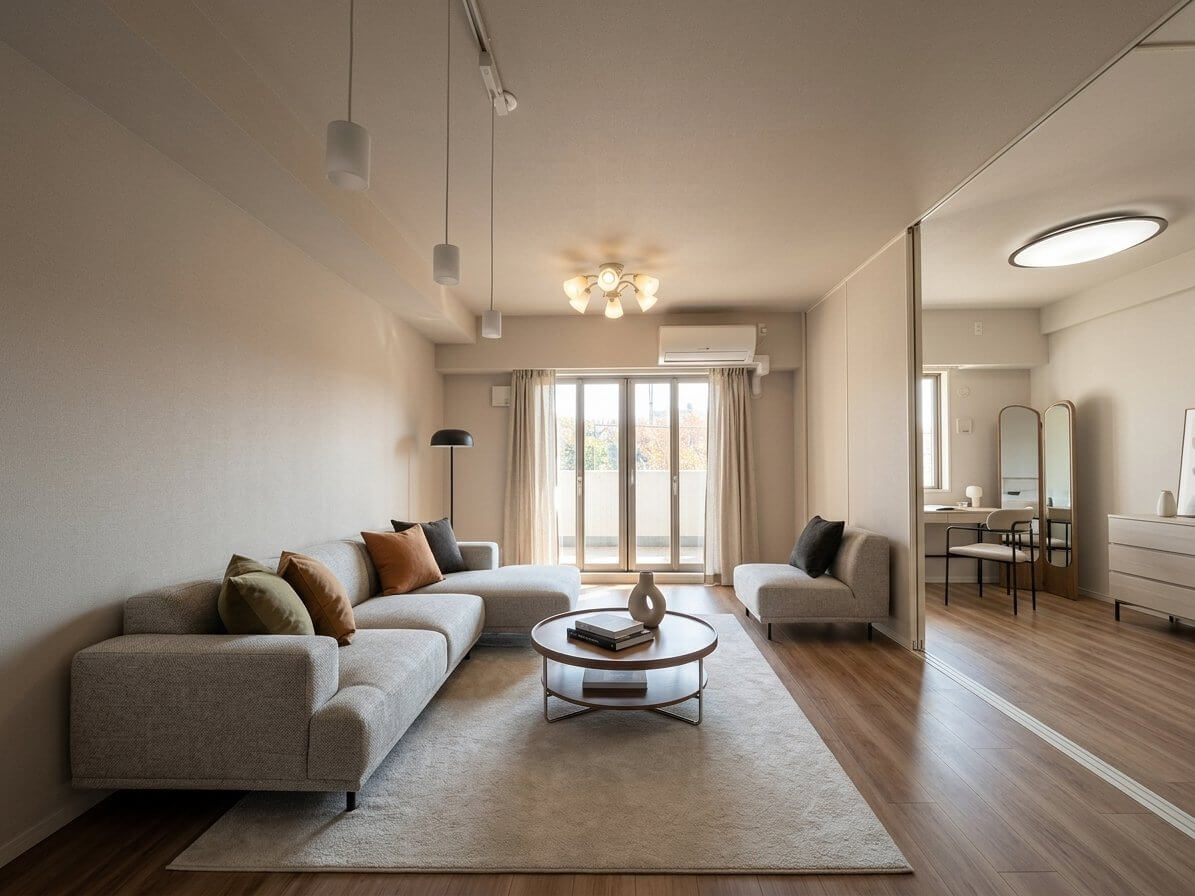
[Image: Example of well-staged living room showing balanced furniture placement with clear walking paths]
Step 5: Review, Download, and Use Your Staged Images
Review for Quality and Realism
Before using staged images in your marketing, check:
- Lighting consistency: Does the furniture lighting match the room's natural light direction?
- Shadows and reflections: Are they present and realistic?
- Edge quality: Look closely where furniture meets walls and floors—AI sometimes creates soft or blurry edges
- Perspective: Does the furniture angle match the camera's viewpoint?
- Color balance: Do staged elements match the photo's overall color temperature?
Most platforms offer unlimited free regenerations, allowing you to adjust the room type or change the design style as many times as you like until you get the image you're happy with.
Transparency and Disclosure Requirements
Most MLS systems require a 'Virtually Staged' label on altered photos, and many require disclosure in the listing description as well—California's AB 723 (effective 2026) requires access to the original, unaltered photo.
Best practices for disclosure:
- Add a "Virtually Staged" watermark directly on staged images
- Include both staged and unstaged versions in your listing
- Mention virtual staging in the property description
- During showings, have staged images available on a tablet to reference
While virtual staging is a tool, it should never deceive—showing both versions builds trust with buyers and reinforces your credibility.
Where to Use Your Staged Images
Virtually staged photos should appear in:
- MLS listings (following disclosure rules)
- Property websites and portals (Zillow, Realtor.com, etc.)
- Social media marketing (Facebook, Instagram)
- Email campaigns to buyer leads
- Print materials (flyers, brochures)
- Open house signage and displays
68% of buyers say that great photos made them want to visit the home. Your staged images create that critical first impression that drives showing requests.
Virtual Staging Best Practices
Stage the Right Rooms
You don't need to stage every room in a house. Focus your budget on spaces that matter most to buyers.
Priority rooms (stage first):
- Living room
- Primary bedroom
- Kitchen (if there's space for a table/seating area)
- Dining room
Secondary rooms (stage if budget allows):
- Additional bedrooms
- Home offices
- Finished basements
- Outdoor living spaces
According to the National Association of Realtors 2023 survey, the living room is most important to 39% of buyers, followed by the primary bedroom and kitchen, important to 36% and 30% respectively.
Show Multiple Use Cases for Flex Spaces
One advantage of virtual staging is the ability to show the same room staged different ways. A bonus room might be staged as a home office in one photo and a nursery in another, helping different buyer types envision the space meeting their needs.
Combine Virtual Staging with Professional Photography
Virtual staging enhances good photography—it doesn't fix bad photography. If you're investing in staging, invest in professional photos first. The combination delivers the strongest results.
Keep Design Timeless
Trendy furniture and bold design choices can date quickly or alienate buyers with different tastes. Stick with neutral, broadly appealing styles unless you're targeting a very specific buyer demographic.
Common Mistakes to Avoid
Using Low-Resolution Photos
Blurry input photos produce blurry staged images. Aim for minimum 4000 pixels on the longest edge for best results.
Staging Rooms with Poor Angles
If your original photo doesn't show the room well, staging won't fix it. Reshoot with better composition rather than trying to salvage a bad angle.
Over-Editing Reality
Virtual staging should enhance what exists, not create false expectations. Don't digitally remove structural columns, change room dimensions, or hide features buyers will notice during showings.
Inconsistent Staging Styles
If you're staging multiple rooms in one property, maintain consistent design aesthetics. Don't mix ultra-modern living room staging with rustic farmhouse bedroom staging.
Skipping the Unstaged Photos
Always provide access to original, unstaged images. Buyers who feel misled by photos are unlikely to make offers.
Choosing the Wrong Service for Your Needs
A $5 AI-generated staged photo might be perfect for a $300,000 starter home but inappropriate for a $2 million luxury listing. Match your staging investment to your property value and target market.
Getting Started with Virtual Staging
Virtual staging has evolved from an experimental marketing tactic to a standard practice. Today, over 50% of real estate agents incorporate virtual staging into their listing strategies.
The process is straightforward: prepare your space, capture quality photos, choose your staging method, and use the results transparently in your marketing. With AI tools now generating professional results in seconds and designer services available for under $100 per room, the barrier to entry has never been lower.
If you're looking to try virtual staging, AI virtual staging service providers like VirtualStaging.art can generate staged photos from empty room images starting at $5 per photo. For a typical listing, you can have professionally staged images ready to upload within minutes, helping your property stand out in a crowded market and sell faster.
The data is clear: staged homes sell faster, generate more interest, and often command higher offers. In a market where virtually staged properties spend around 29-31 days on the market compared to 52 days for unstaged listings, virtual staging isn't just a nice-to-have—it's become an essential tool for competitive real estate marketing.