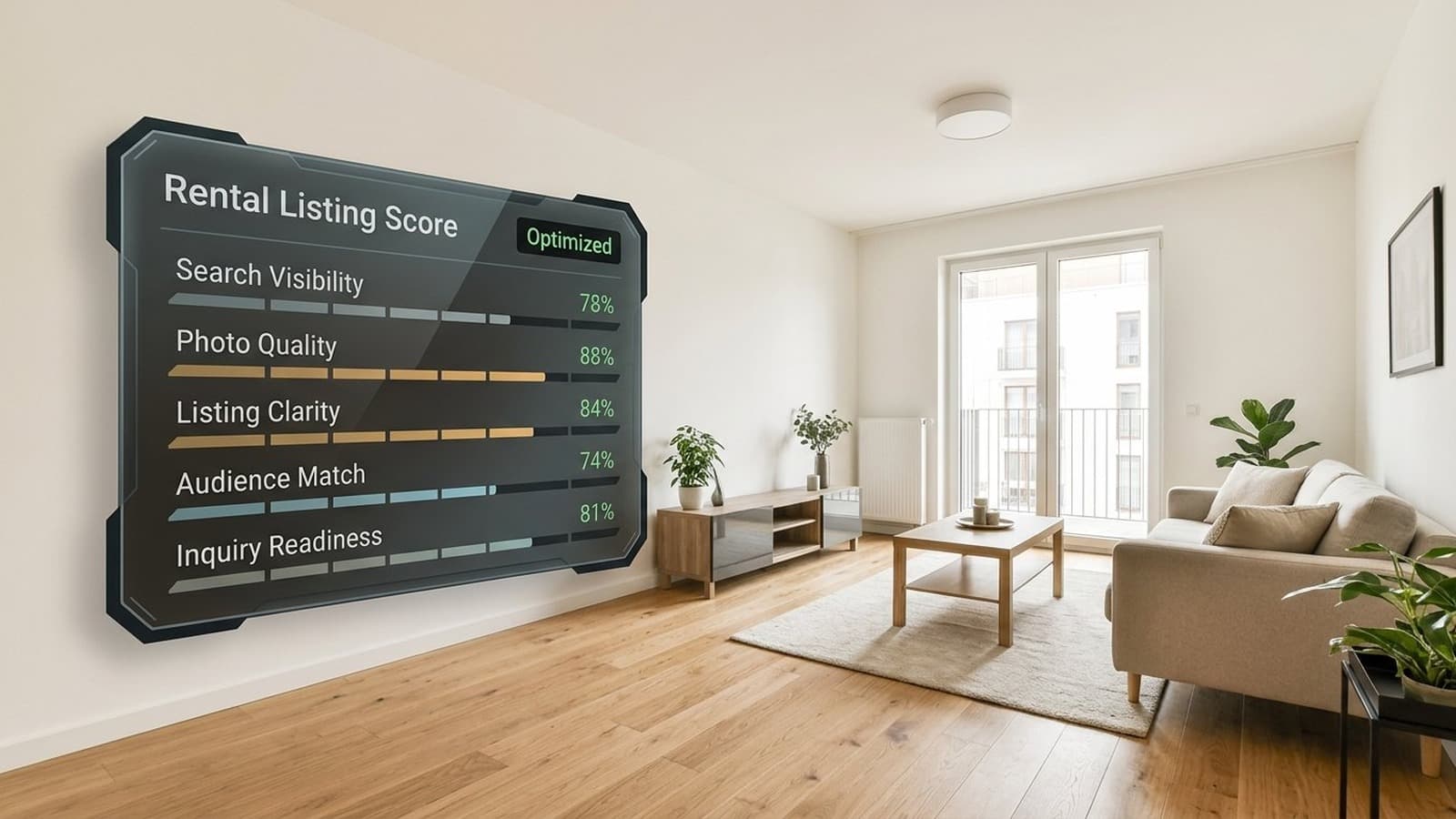
A rental listing has three jobs: show up when renters search, stand out beside similar properties, and get qualified renters to reach out.
That sounds simple, but most renters are comparing several apartments, homes, or condos at the same time. They scan the photos first, check the price, look for deal breakers, and decide whether it is worth contacting the listing agent, landlord, or property manager. If the photos are weak, the copy is vague, or the fees and availability are unclear, a good renter may scroll past before you ever get a chance to speak with them.
That is where the whole listing package starts to matter. Rental listing optimization is the practical work of improving that package: the title, photos, description, price clarity, fees, amenities, availability, and follow-up path.
The best listings know who they are for, lead with the right photos, make the details easy to trust, and make the next step obvious.
This guide walks through how to create a rental listing that stands out, from positioning and photos to description writing and publishing. We will also cover where AI can help you do that work faster and produce better listing assets.
Quick checklist: what makes a rental listing work
- Lead with the strongest photo.
- Make rent, fees, and availability clear.
- Use a specific title.
- Show every major room.
- Mention searchable amenities.
- Make the next step obvious.
- Respond quickly.
What Makes a Rental Listing Stand Out
A strong rental listing earns attention because it handles the questions renters already have:
- Is this property in my budget?
- Is it available when I need it?
- Does the layout fit the way I live?
- Are pets allowed?
- Is parking included?
- What utilities or fees will I pay?
- Can I picture myself living there?
- Is this worth scheduling a tour?
Plain and specific usually wins.
In practice, the strongest listings usually have five things working together:
- Clear positioning: who the rental is best for and what makes it different.
- Practical details: rent, fees, lease terms, availability, pets, parking, laundry, utilities, and amenities.
- Strong photos: bright, complete, realistic images of the actual space.
- A direct description: enough detail to make the listing feel worth an inquiry.
- An easy next step: a clear way to book a tour, ask a question, or apply.
When one of those parts is weak, the listing can still get views while producing the wrong leads, too few inquiries, or too many basic follow-up questions.
Start With the Renter
Before writing the listing, decide who the rental is really for.
A studio near transit probably wins on commute and convenience. A two-bedroom townhouse with parking may win on storage, work-from-home space, outdoor space, or room for roommates.
Positioning questions:
- Who is most likely to rent this property?
- What is the strongest reason they would choose it?
- What concern might make them skip it?
- Which competing listings will they compare it against?
- Which photo should be the first image they see?
AI works well here because it can help you see the market pattern before you start writing.
You can collect 5-10 nearby competing listings and ask an AI tool to summarize:
- common rent ranges
- repeated amenities
- missing details
- common selling points
- language competitors use too often
- opportunities to position your listing differently
Use AI to organize the market picture, then use real market data, current comps, and local judgment for pricing. The value is speed: it helps you see the pattern without reading every competing listing line by line.
Write a Description That Gets the Right Renters to Reach Out
Good rental listing copy is clear, specific, and practical. It gives the right renters enough confidence to reach out, and it filters out people who were never a fit.
A simple structure works well:
- Lead with the strongest reason to care.
- Explain the layout and main rooms.
- Mention the most valuable features.
- Add location and lifestyle details.
- Clearly state rent, fees, pets, parking, utilities, lease term, and availability.
- End with the next step.
Weak opening:
Beautiful apartment in a great location. Must see.
Stronger opening:
Bright 2-bedroom apartment with in-unit laundry, garage parking, and a private balcony two blocks from the station.
The second version gives the renter a reason to keep looking.
Here is the same idea as a compact listing rewrite:
Weak listing:
- Title: 2BR apartment available
- First photo: dark exterior shot from the street
- Opening line: Beautiful apartment in a great location. Must see.
Improved listing:
- Title: Bright 2BR with balcony, parking, and in-unit laundry
- First photo: staged living room with balcony access and natural light
- Opening line: Available June 1: bright 2-bedroom apartment with in-unit laundry, assigned garage parking, and a private balcony two blocks from the station.
The improved version gives renters useful facts earlier. It also makes the listing easier to scan in a search result, where the title and first image often do most of the work.
For AI copywriting, the quality of the input matters. Give the model the property facts and the audience.
Example prompt:
Write a rental listing description for a 2-bedroom apartment in Austin. The strongest features are natural light, in-unit laundry, garage parking, a private balcony, and a 10-minute walk to the train. The ideal renter is a professional couple or roommates who care about commute and convenience. Keep the tone clear and professional. Include pet policy, parking, utilities, lease term, and availability as separate details.
Then edit the output. Remove exaggerated language. Make sure every claim is true. Add the details the AI could not know: exact fees, building rules, showing instructions, and availability.
The National Fair Housing Alliance recommends focusing housing ads on the property and amenities rather than the kind of renter you imagine for the unit. Keep the copy accurate, avoid language that suggests a preference for or against a protected class, and check your local fair-housing rules before publishing.
Apartments.com notes that keyword and benefit language matters more as renters use natural-language AI search. If a feature is important and true, say it plainly in the description. "Private balcony," "in-unit laundry," "assigned parking," "near downtown," "pet-friendly," and "waterfront view" are the kinds of details renters may search for directly.
Choose Photos That Sell the Space
Photos usually do more work than the description. A renter may read the copy later, but they often decide whether to keep looking from the first few images.
Zillow says 60% of renters describe viewing photos as very or extremely important when deciding whether a rental is right for them. Zillow also recommends including at least 10 photos and taking a photo of every major room, especially the kitchen, bedrooms, living room, and bathrooms.
The goal is a photo set that makes the property look competitive and gives renters enough confidence to reach out.
Recommended photo order:
- Best hero image, usually the living room, kitchen, or strongest lifestyle room.
- Living room or main open area.
- Kitchen.
- Primary bedroom.
- Additional bedrooms.
- Bathroom.
- Laundry, storage, balcony, patio, garage, or parking.
- Building exterior or entrance.
- Shared amenities.
- Floor plan or layout image if available.
The first photo matters because it carries the listing in search results. A bathroom, hallway, floor plan, exterior-only shot, or dark empty room is usually a weak first image unless that is genuinely the most impressive part of the property.
When shooting photos, keep the basics tight:
- shoot horizontally
- use natural light when possible
- open blinds and curtains
- turn on interior lights
- keep vertical lines straight
- shoot from corners or doorways to show room flow
- avoid mirrors and reflections
- remove obvious clutter before photographing
Apartments.com recommends shooting from corners or doorways so renters can see the whole room and how it connects to the rest of the apartment. That matters because renters are judging more than finishes. They are looking at light, flow, scale, and whether the space fits their life.
Rental Listing Optimization: What to Improve First
Once the photos and description are ready, the listing still has to work inside the listing site itself. Renters may see your property in a search grid, map view, mobile card, saved search alert, or AI-assisted search result. Small details can decide whether they click.
Start with the parts renters see first.
First photo
The first photo should give someone a reason to open the listing. For most rentals, that means the best living area, kitchen, staged main room, or lifestyle shot. Avoid leading with a bathroom, hallway, floor plan, exterior-only image, dark empty room, or a cropped photo that looks confusing on mobile.
Before publishing, check the listing on your phone. Many platforms crop photos differently in search results than they do on the full listing page.
Title or headline
Use the title to say what makes the rental worth clicking. Keep it specific.
Weak:
Nice apartment available now
Better:
Bright 2BR with balcony, parking, and in-unit laundry
The better version gives renters a reason to click before they read the full description.
Searchable fields
Fill out every relevant field the platform gives you. Renters filter by details before they read your copy.
Important fields often include:
- rent
- availability date
- bedroom and bathroom count
- square footage
- pet policy
- parking
- laundry
- utilities
- deposit and fees
- amenities
- tour availability
If a feature matters, put it in the structured field and mention it in the description. A renter searching for "pet-friendly apartment with parking" should not have to infer that from a paragraph.
Price, fees, and availability
Unclear fees create friction. If the platform allows it, include application fee, deposit, pet fees, parking cost, utility responsibility, and lease term. The same goes for availability. A renter who needs to move in June should not have to message you just to learn whether the unit is available in June.
Refresh cadence
If the listing gets views but few inquiries, start with the first image, title, price clarity, and opening sentence. Those are the easiest places to improve without rewriting the entire listing.
If the listing gets inquiries from the wrong renters, your copy may be missing deal breakers such as pet policy, parking, utilities, income requirements, stairs, noise, lease term, or move-in date.
Use AI to Make Listing Photos Stronger
AI is most useful when the original photos are close to listing-ready, but still need work.
Common problems:
- the room is dark
- colors look yellow or gray
- the unit is occupied
- furniture makes the room feel smaller
- the room is empty and hard to read
- the photo has cords, boxes, or small visual distractions
- the listing needs to go live before the unit is fully vacant
We built Virtual Staging Art as a complete platform for turning ordinary property photos into professional listing assets. The goal is simple: take photos that are dark, empty, cluttered, occupied, or hard to market, and use architecture-aware AI to make them ready for a rental listing.
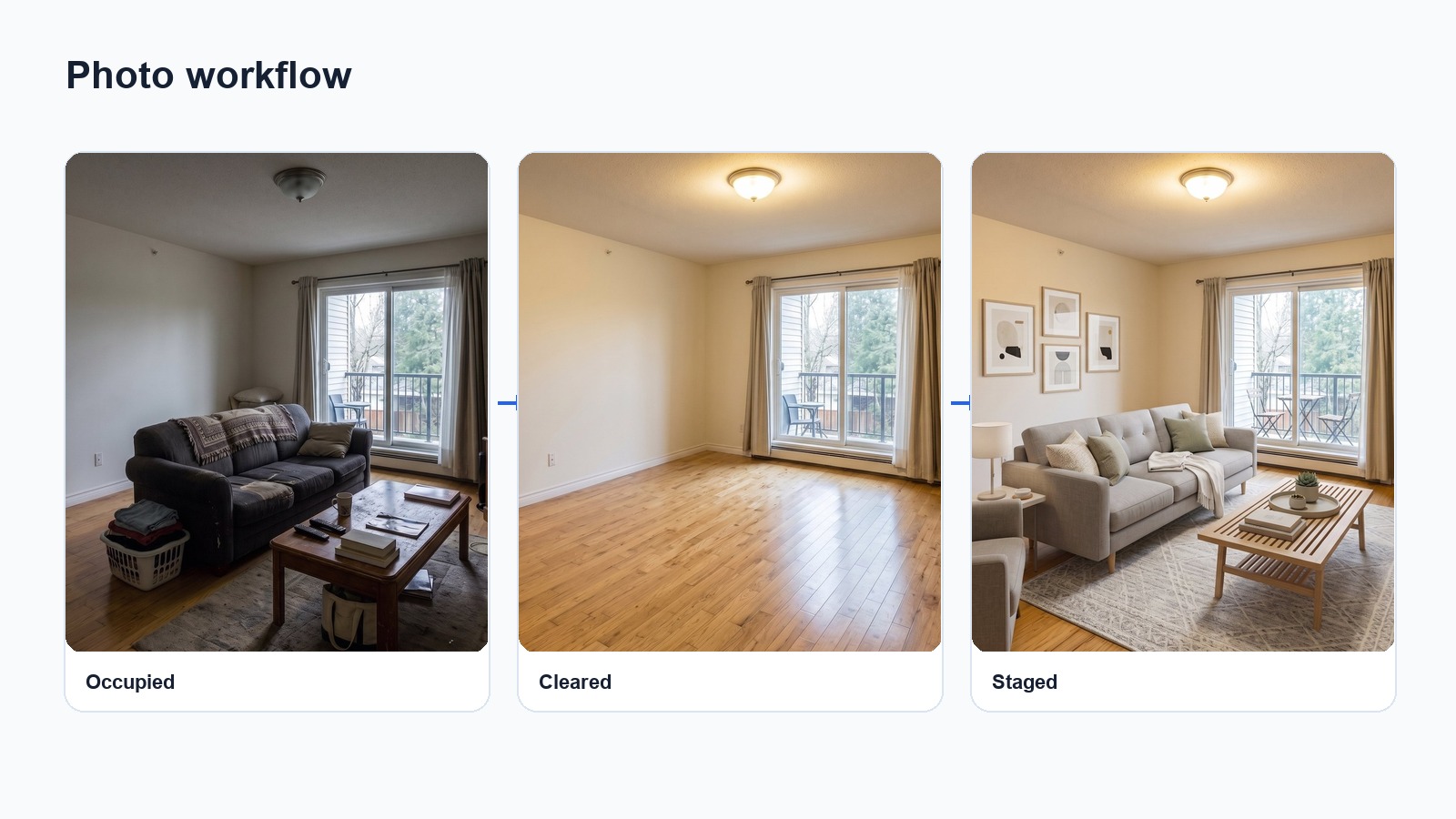
The useful workflow is usually simple: start with the best available photo, correct the obvious visual problems, then stage the room only if it helps the listing feel more complete. The image should still represent the same room. Walls, windows, flooring, fixed fixtures, and room proportions need to stay accurate.
The platform brings three workflows together:
- Photo editing: fix bad lighting, improve exposure, correct color, remove small distractions, and prepare cleaner listing images.
- Furniture removal: remove movable furniture and personal belongings from occupied rooms before listing or staging the unit.
- Virtual staging: furnish an empty room digitally so the listing has a stronger first impression and renters can see how the room could be used.
Real estate images need structure preservation. General-purpose AI tools can rewrite too much of the scene, especially when asked to furnish or clean up a room. Our architecture-aware AI is built to preserve the fixed parts of the listing: walls, windows, floors, doors, fixtures, appliances, built-ins, ceiling height, and room proportions.
If your market, platform, MLS, or brokerage requires disclosure for virtual staging or AI edits, include it. Our virtual staging disclosure guide covers that in more detail.
Have photos that are dark, empty, occupied, or hard to market? Use Virtual Staging Art to turn them into listing-ready images.
A Few Common Listing Problems
The fastest improvement usually comes from fixing the part of the listing that is holding people back. A few examples:
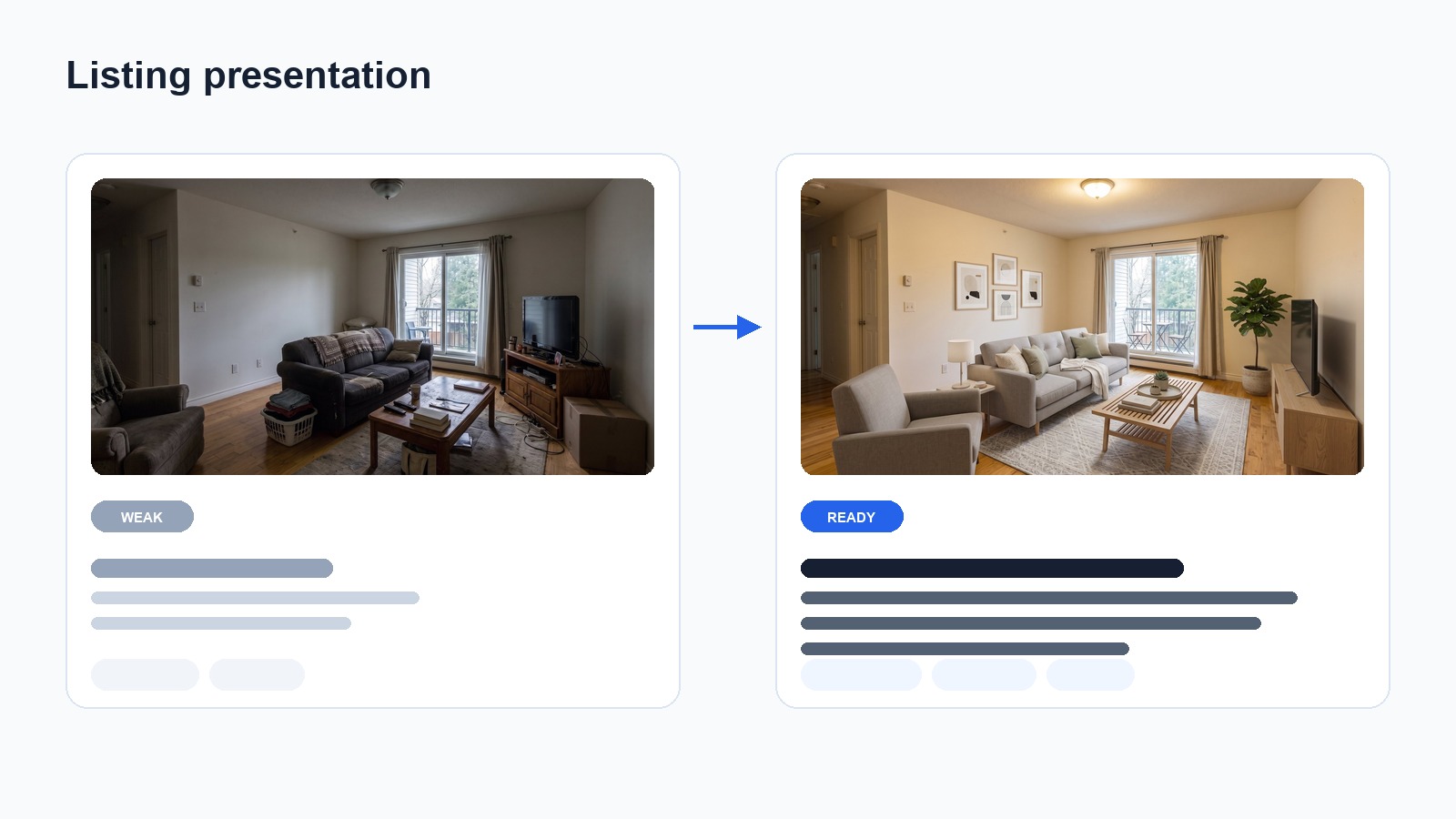
Occupied apartment before move-out
The current tenant's furniture and belongings make the space hard to market. The photos show the real room, but the room is being presented for the current tenant, not the next renter.
Use AI furniture removal and decluttering to create a cleaner room photo, then virtually stage it if the empty version needs context. This is the same workflow we cover in our guide to furniture removal for occupied homes.
Before photo set:
- living room filled with tenant furniture
- kitchen counter clutter
- bedroom with personal items visible
Improved photo set:
- living room digitally cleared and staged
- kitchen brightened and cleaned up
- bedroom restaged with neutral furniture
Better opening sentence:
Available July 1: bright 1-bedroom apartment with an open living area, updated kitchen, and easy access to transit.
Empty studio apartment
The room is vacant, and the listing needs to show how sleeping, sitting, dining, and work areas could fit.
Use virtual staging to show functional zones. Keep the furniture realistic for the room size, and avoid staging that makes the studio look larger than it is. If you want to see what this looks like in practice, browse our virtual staging examples.
Weak title:
Studio apartment for rent
Better title:
Sunny studio with defined sleeping, work, and dining zones
Better photo approach:
- staged hero image showing the full studio layout
- kitchen or kitchenette
- bathroom
- closet or storage
- building entrance or amenity
This helps the listing compete with larger apartments because the first image shows function, not just an empty box.
Dark rental photos
The apartment may be in good condition, but the photos make it feel dim, dated, or poorly maintained.
Use photo editing to brighten the image, correct color, and make the room more appealing in the listing gallery.
Weak listing issue:
- the first photo is a dark living room
- the walls look yellow
- the floor color looks muddy
- the space feels smaller than it is
Improved approach:
- correct exposure and color
- use the brightest, most inviting room as the first image
- crop for mobile so the room still reads clearly in the search grid
Better description line:
The living room gets afternoon light and has enough space for a sofa, media console, and small dining setup.
Generic listing description
The copy says "beautiful apartment, great location," and leaves the renter searching for a concrete reason to care.
Use AI to create a first draft from real property details, then edit it into plain language with specific features, renter benefits, and practical terms.
Weak opening:
Beautiful apartment in a great location. Must see.
Better opening:
Bright 1-bedroom apartment with in-unit laundry, updated kitchen appliances, and assigned parking. The living room opens to a private balcony, and the bedroom fits a queen bed with room for a desk. Available June 1. Pets considered with approval.
Why it works:
- gives the renter specific features
- mentions layout and furniture fit
- includes availability
- answers a common pet-policy question
Rental Listing Optimization Checklist
Before publishing, check the listing as if you were a renter seeing it for the first time.
Listing details:
- Rent is clear.
- Security deposit and application fees are clear.
- Lease term is included.
- Availability date is included.
- Pet policy is included.
- Parking is included.
- Utilities are explained.
- Laundry is explained.
- Floor plan or square footage is included if available.
Photos:
- The first image is the strongest image.
- The listing includes at least 10 useful photos when possible.
- Every major room is shown.
- Photos are horizontal, bright, and straight.
- The photo order follows the way someone would tour the property.
- Empty or occupied rooms are edited or staged when needed.
- AI-edited images are reviewed for accuracy.
Description:
- The first sentence gives a real reason to click.
- The description mentions the strongest features plainly.
- Location benefits are specific.
- Searchable amenities are included naturally.
- The copy stays accurate.
- The next step is clear.
After publishing:
- Confirm the listing displays correctly on each platform.
- Check mobile cropping for every important photo.
- Respond to leads quickly.
- Refresh weak photos or the first image if views are low.
- Update availability, price, and fees immediately when they change.
Zillow reports that 71% of renters expect to hear back within 24 hours after inquiring. A better listing can create more qualified leads, but slow follow-up can still lose them.
Frequently Asked Questions
What is rental listing optimization?
Rental listing optimization means improving the parts of a rental listing that affect visibility, trust, and tour requests: photos, description, title, price clarity, fees, amenities, availability, and the next step for the renter.
How many photos should a rental listing have?
Zillow recommends at least 10 photos and photos of every major room. The exact number depends on the property, and the image set should give renters enough confidence to inquire or book a tour.
Can I use AI for rental listing photos?
Yes, but use it carefully. AI can help brighten photos, remove clutter, remove movable furniture, and virtually stage empty rooms. It should not change fixed property details, hide condition issues, or make the rental look like a different property.
Should I virtually stage a rental listing?
Virtual staging is useful when empty rooms look cold, small, or easy to ignore. It is especially helpful for studios, living rooms, bedrooms, and open layouts where furniture can make the listing more compelling.
What should I include in a rental listing description?
Include the strongest selling point, layout, key amenities, rent, fees, lease term, pet policy, parking, utilities, availability date, location benefits, and a clear tour or application CTA.
How can AI help write a rental listing?
AI can help summarize competing listings, identify useful selling points, draft listing copy, rewrite unclear descriptions, and create variations for different platforms. The final version should always be checked by a person who knows the property.